
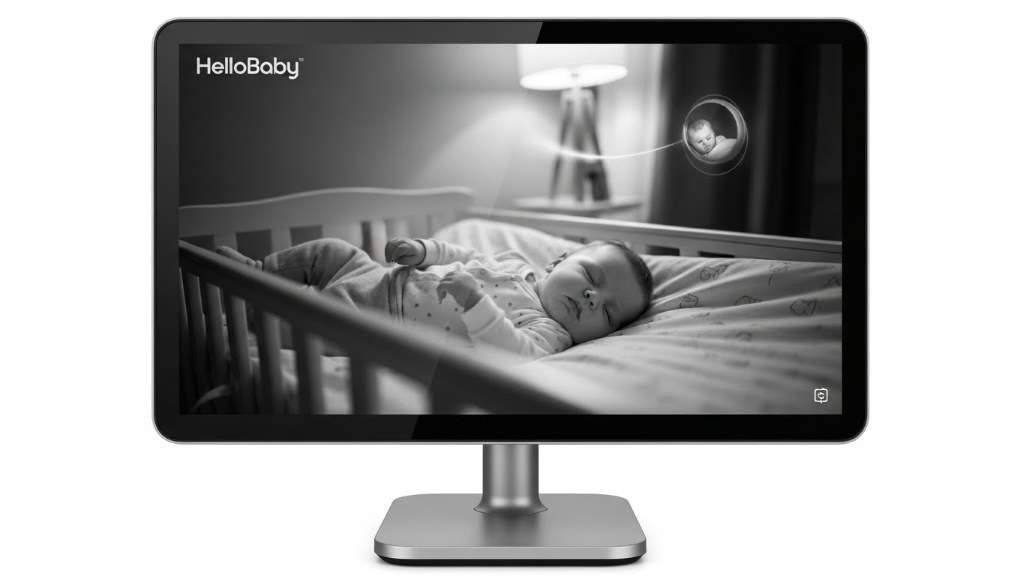
Picture this. You step away from the nursery for a quick shower, but a soft cry pulls you back in seconds thanks to a reliable device. Baby monitors transform those anxious moments into confident ones for new parents. These tools let you watch over your little one while handling daily tasks. They come in various types, each offering unique ways to ensure safety and connection.
Recent data shows the growing importance of these devices. The U.S. baby monitor market will reach $0.74 billion by 2033, driven by heightened awareness of infant safety, according to a 2025 forecast from ResearchAndMarkets. Moreover, a survey by baby care brand Summer reveals that over one in three dads checks their monitor at least once per minute, highlighting how these gadgets ease parental worries.
To make your choice easier, explore this baby monitor features comparison that breaks down essential aspects. Now, let’s dive into how you can evaluate the top options for your home setup.
Understanding Different Types of Baby Monitors
Parents often start their search by figuring out the main categories. Audio-only models focus on sound alerts. For instance, they pick up cries or coos without visual elements. This simplicity suits those who want basic oversight. However, many families prefer more comprehensive options today.
Video monitors add a visual layer. You see your baby’s movements in real time. Night vision enhances this during dark hours. Consequently, you gain better insight into their sleep patterns. Smart versions connect to apps for remote access. Meanwhile, non-WiFi types emphasize security through private signals.
Each type addresses specific needs. Consider your lifestyle first. Do you travel often? Portable designs work best. Or perhaps you prioritize privacy. In that case, avoid internet-dependent models. Ultimately, matching the type to your routine sets a strong foundation.
Research from Pew Research Center in 2025 notes that 85% of parents use video-based tech for child oversight. This trend underscores the shift toward visual monitoring. So, weigh these options carefully.
Key Features to Consider When Comparing Baby Monitors
Every parent looks for standout elements that fit their daily life. Start with screen quality. A clear display shows fine details like breathing rhythms. Larger screens reduce eye strain during long checks. For example, IPS technology offers wide viewing angles. Thus, you catch every moment without distortion.
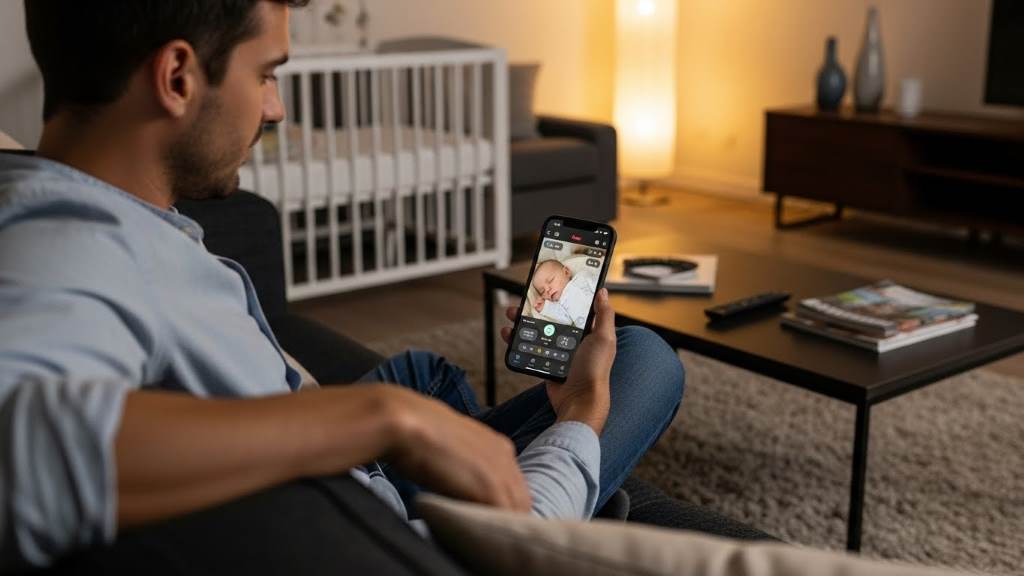
Next, examine camera capabilities. Pan-tilt functions let you adjust views remotely. This covers the entire room quietly. Automatic night vision switches on in low light. It provides black-and-white clarity without waking the baby. Additionally, zoom options bring distant details closer.
Audio features play a crucial role too. Two-way talk allows soothing words from afar. Voice-activated modes save power by activating only on sound. Noise filtering blocks background hums like fans. As a result, you hear only what matters most.
Range determines usability across your home. Strong signals reach up to 1000 feet in open spaces. Walls can reduce this, so test in your environment. Secure connections prevent interference. Furthermore, closed-circuit systems avoid hacking risks entirely.
Battery life supports on-the-go monitoring. Models with extended runtime last through nights in power-saving modes. Low-battery alerts keep you prepared. Portability adds value for travel. Moreover, multi-camera support monitors siblings or play areas.
Security stands out as a top concern. Non-WiFi options use private frequencies for peace of mind. Encrypted signals protect against unauthorized access. Parents in a 2025 PMC study reported reduced anxiety with reliable tech. Therefore, prioritize these for trustworthy performance.
Temperature sensors track room comfort. They alert if conditions turn too hot or cold. Humidity monitoring adds another layer. In turn, this helps prevent discomfort during sleep.
Finally, ease of setup matters. Plug-and-play designs skip complex apps. Intuitive interfaces suit all users, including grandparents. Overall, these features guide your comparison effectively.
Screen Size and Resolution
Larger screens enhance visibility. A 6-inch display shows more at once. High resolution captures subtle expressions. Parents multitask better with clear views. For instance, cooking while glancing at the monitor becomes seamless.
Resolution affects image sharpness. HD options deliver crisp footage. Lower quality might blur details. Consequently, invest in better screens for accuracy. Studies from Consumer Reports in 2026 emphasize this for user satisfaction.
Viewing angles prevent color shifts. IPS panels excel here. You see true colors from sides. This flexibility aids shared monitoring. Thus, family members stay involved easily.
Camera Pan-Tilt and Zoom
Remote control adjusts camera angles. Pan horizontally for wide sweeps. Tilt vertically covers heights. Quiet motors avoid disturbances. You scan the crib without entering.
Zoom magnifies specific areas. Digital zoom enlarges without quality loss. Optical versions maintain clarity. As a result, check breathing from afar. Parents praise this in Reddit discussions from 2026.
Multi-camera setups expand coverage. Switch between rooms effortlessly. This suits growing families. Moreover, it streamlines oversight during playtime.
Audio Quality and Two-Way Talk
Clear sound detects faint noises. Sensitivity picks up whispers or stirs. Background noise cancellation focuses on the baby. You respond promptly to needs.
Two-way communication soothes remotely. Speak lullabies through the device. Babies recognize voices for comfort. Furthermore, this builds bonds during separations.
VOX mode activates on detection. It conserves energy efficiently. Alerts notify you instantly. In essence, audio features strengthen connections.
Wireless Range and Signal Strength
Extended range covers large homes. 1000-foot capabilities handle distances. Private frequencies minimize drops. Test in your space for reliability.
Signal strength withstands obstacles. Thick walls challenge weaker models. Boosters extend reach if needed. Consequently, maintain oversight outdoors too.
Interference-free operation ensures consistency. Digital signals outperform analogs. Parents in 2025 surveys value this for trust.
Battery Life and Portability
Long-lasting batteries support mobility. 6-12 hours in active mode suffice. VOX extends this further. Low indicators prevent surprises.
Portable designs fit travel bags. Compact units charge quickly. You carry them effortlessly. Moreover, this adaptability suits vacations.
Rechargeable options reduce waste. USB compatibility adds convenience. Overall, prioritize endurance for flexibility.
Security and Privacy
Closed systems block external access. No internet means no hacks. Parents sleep better knowing this.
Encryption secures WiFi models. Regular updates patch vulnerabilities. Choose brands with strong protocols.
A 2025 study in PMC highlights peace from secure tech. Thus, safeguard your family’s privacy.
Additional Sensors: Temperature and Humidity
Sensors monitor environmental factors. Alerts flag unsafe levels. You adjust rooms accordingly.
Humidity tracking prevents dryness. Comfortable air aids sleep. Integrated displays show readings clearly.
Research from American Academy of Pediatrics stresses optimal conditions. Therefore, these features promote health.
Ease of Use and Setup
Simple interfaces speed learning. Buttons control functions intuitively. No tech expertise required.
Quick setup skips complications. Pair devices in minutes. Grandparents appreciate this accessibility.
User reviews in 2026 praise straightforward designs. In turn, daily use becomes effortless.
Top Baby Monitors to Compare in 2026
2026 brings advanced models for every need. Consumer Reports tested over a dozen, highlighting reliability. PCMag echoes this with app-based picks. Let’s compare standout ones, including the HelloBaby 6″ IPS.
First, the Nanit Pro Complete System. It tracks breathing and sleep via app. Camera offers HD video with night vision. Two-way talk and temperature sensors included. Parents love the growth insights. However, it relies on WiFi.
Owlet Dream Sock adds wearable tech. It monitors heart rate and oxygen. Alerts notify via phone. Non-WiFi base station pairs with it. FDA-cleared for accuracy. Yet, focus on health data suits cautious families.
Eufy SpaceView Pro emphasizes security. Non-WiFi connection with 5-inch screen. Pan-tilt camera covers rooms. Long range and battery stand out. Night vision delivers clear images. Ideal for privacy-focused users.
VTech VM819 provides budget-friendly reliability. 2.8-inch display with audio focus. Two-way talk and lullabies soothe. Portable for travel. Signal reaches far without drops. Simple for everyday use.
Infant Optics DXR-8 Pro shines in non-WiFi category. Excellent range and zoom. Noise cancellation filters white noise. Multi-camera support expands options. Users on Reddit rave about clarity.
Now, the HelloBaby 6″ IPS. Its large IPS screen offers wide angles and color accuracy. Pan-tilt camera with quiet motors eliminates blind spots. 2-way audio and VOX mode enhance interaction. Up to 1000ft range on private frequency. Automatic night vision provides detailed black-and-white views. Supports multiple cameras for siblings. Closed-circuit system ensures top security. Battery lasts 6-12 hours in continuous mode, longer in VOX. Plug-and-play setup suits all.
Comparing these, Nanit excels in smart tracking. Owlet prioritizes vital signs. Eufy and Infant Optics focus on secure video. VTech offers basics well. HelloBaby balances screen size and privacy. Choose based on your priorities.
What Sets the HelloBaby 6″ IPS Apart
HelloBaby stands out with its expansive screen. You view from any angle without color loss. This reduces strain during frequent checks.
Its pan-tilt eliminates dead zones. Adjust remotely for full coverage. Quiet operation keeps sleep undisturbed.
Night vision captures expressions clearly. Infrared tech works without lights. Parents report better observation.
The closed system boosts security. No WiFi means zero hacking worries. This appeals to privacy-conscious families.
VOX mode extends usability. It activates on voice, saving power. Low-battery alerts add reliability.
Multi-camera compatibility grows with your family. Switch views seamlessly. Setup takes moments, no apps needed.
User reviews highlight stress reduction. First-timers find it intuitive. Grandparents handle it easily.
In comparisons, it outperforms older screens. IPS tech improves over TFT. Security edges out WiFi rivals.
Overall, it delivers value through balanced features.
Related:
Best Hip Seat Baby Carriers for 2025: Is Momcozy the Top Choice?
The Best Baby Hiking Backpack: A Parent’s Guide to Safe and Comfortable Adventures
Real Parent Stories: How These Monitors Make a Difference
Sarah, a working mom, chose Nanit for sleep insights. She tracks patterns via app. This helped establish routines. However, WiFi glitches frustrated her occasionally.
Mike picked Owlet after a health scare. Vital alerts eased his mind. He sleeps better now. Yet, the wearable sometimes shifts.
Lisa opted for Eufy in her large home. Range covers the yard. Non-WiFi security reassures her. She multitasks freely.
Tom travels often with VTech. Portability fits his bag. Simple audio soothes during trips. Signal holds strong.
Emma uses Infant Optics for twins. Multi-cameras switch rooms. Zoom checks breathing. Noise filter blocks fans.
Rachel selected HelloBaby for its screen. Wide views help from the kitchen. Pan-tilt covers play. Security lets her relax.
These stories show practical impacts. Monitors adapt to lifestyles. They reduce worries effectively.
How to Choose the Right Baby Monitor for Your Nursery
Assess your space first. Small rooms need basic range. Larger homes require stronger signals. Measure distances for accuracy.
Consider your tech comfort. App-based suits digital natives. Non-WiFi appeals to simplicity seekers. Match to your skills.
Think about baby’s age. Newborns benefit from vital tracking. Toddlers need wide camera views. Evolve with their stages.
Factor in daily routines. Working parents value remote access. Stay-at-home ones prefer large screens. Align with habits.
Read reviews from similar families. Reddit threads offer honest insights. Look for consistent praises.
Test in-store if possible. Feel the interface. Check screen clarity. This avoids regrets.
Prioritize must-haves over extras. Security and range top lists. Sensors add bonuses.
Consult pediatric guidelines. AAP stresses safe sleep environments. Monitors support this indirectly.
Make a pros-cons list. Weigh against needs. This clarifies choices.
Finally, trust your instincts. The right one feels reassuring.
Matching Features to Your Family’s Needs
Busy households thrive with multi-tasking tools. Large screens aid quick glances. Two-way talk calms from afar.
Traveling families need portability. Compact designs pack easily. Long batteries handle outings.
Health-focused parents seek sensors. Temperature alerts prevent issues. Vital monitoring adds layers.
Privacy lovers choose non-WiFi. Closed signals protect data. This builds confidence.
Growing families opt for expandable systems. Add cameras as needed. Flexibility matters.
Night owls value clear vision. Infrared captures details. No disturbances occur.
Tech-savvy users enjoy apps. Insights track progress. Customization enhances use.
Simple seekers pick intuitive models. No learning curves. Ease wins.
Tailor to your unique setup. Satisfaction follows.
Common Mistakes to Avoid in Selection
Skipping range tests leads to drops. Measure your home. Avoid surprises.
Ignoring security risks data. Choose encrypted or closed. Protect privacy.
Overlooking battery needs causes interruptions. Check runtimes. Plan charges.
Focusing on extras neglects basics. Prioritize core functions. Build from there.
Not reading reviews misses flaws. User stories reveal truths. Learn from others.
Assuming all fit lifestyles creates mismatches. Assess routines. Choose wisely.
Rushing decisions invites regrets. Take time. Compare thoroughly.
These pitfalls slow progress. Steer clear for success.
Setting Up Your Baby Monitor for Optimal Performance
Placement starts the process. Position the camera above the crib. Angle for full view. Avoid direct light sources.
Secure mounts prevent falls. Wall options stabilize. Crib attachments work too. Safety first.
Pair devices per instructions. Power on both units. Sync signals quickly.
Adjust settings next. Set volume levels. Enable VOX if available. Customize alerts.
Test range throughout home. Walk rooms. Note weak spots.
Calibrate sensors accurately. Input room baselines. Monitor changes.
Integrate with routines. Place receiver centrally. Charge nightly.
Troubleshoot issues early. Reset if needed. Update firmware for WiFi models.
Involve family members. Teach usage. Share responsibilities.
Regular checks maintain function. Clean lenses. Replace batteries.
Proper setup maximizes benefits. Enjoy seamless oversight.
Tips for Nursery Placement and Angles
Elevate camera for overview. 3-4 feet high works. Covers movements well.
Avoid crib edges. Prevent reach. Safety guidelines emphasize this.
Angle downward slightly. Capture face and body. Adjust pan if possible.
Test views daytime and night. Ensure clarity. Reposition as needed.
Multiple angles cover blind spots. Add cameras for corners. Comprehensive sight follows.
These steps optimize visuals. Peace ensues.
Integrating Monitors into Daily Routines
Morning checks start days. Glance while preparing breakfast. Stay connected.
Naptime uses VOX. Activate for alerts. Rest without constant watching.
Evening routines benefit from talk. Soothe bedtime from downstairs. Ease transitions.
Mealtime multitasking thrives. Monitor while eating. Respond quickly.
Outdoor time tests range. Yard oversight possible. Freedom increases.
Night shifts rely on vision. Check without lights. Sleep undisturbed.
Family events include sharing. Pass receiver around. Everyone engages.
Routines blend seamlessly. Monitors enhance life.
Safety Benefits and Research Insights on Baby Monitors
Monitors promote safe sleep practices. Visual checks confirm positions. AAP recommends back sleeping.
Audio alerts detect irregularities. Quick responses prevent escalations.
A 2025 PMC study shows reduced parental anxiety. Devices improve sleep quality when reliable.
However, wearables lack evidence for SIDS prevention. Consumer Reports warns of false alarms.
Benefits include peace of mind. Parents intervene early on discomforts.
Research from Lurie Children’s in 2025 notes screens aid oversight. Yet, balance with direct care.
Sensors track environments. Optimal temps reduce risks. Humidity aids breathing.
Overall, monitors support safety. Use as tools, not replacements.
False positives cause stress. Choose accurate models. Studies highlight this.
Positive impacts outweigh when chosen wisely. Families report better rest.
How Monitors Contribute to Infant Safety
Visual monitoring spots hazards. Loose blankets alert you. Adjust promptly.
Sound detection catches coughs. Respond to health cues. Prevent worsening.
Environmental sensors flag dangers. Too hot rooms overheat babies. Cool accordingly.
Motion alerts note rolls. Ensure safe positions. Intervene if needed.
Night vision aids dark checks. No lights disturb. Maintain cycles.
Research confirms reduced worries. Parents act confidently. Safety rises.
Integrate with habits. Monitors bolster vigilance. Well-being improves.
Addressing Common Safety Concerns
Hacking fears loom with WiFi. Opt for non-internet. Security strengthens.
EMF exposure worries parents. Keep devices distant. Experts recommend feet away.
Cord hazards exist. Secure wires high. Prevent reaches.
Over-reliance risks complacency. Combine with checks. Balance tech and touch.
Alarm fatigue dulls responses. Set sensitivities right. Stay alert.
Addressing these builds trust. Safe use follows.
Advanced Tips for Maximizing Your Baby Monitor’s Potential
Customize notifications. Tailor to your baby’s patterns. Reduce unnecessary alerts.
Pair with smart homes if WiFi. Integrate lights or sounds. Enhance automation.
Track sleep data over time. Spot trends. Adjust schedules.
Use for playtime oversight. Monitor activities safely. Encourage independence.
Share access with caregivers. Apps allow this. Coordinate care.
Clean regularly for clarity. Dust affects lenses. Maintain quality.
Upgrade as needs change. Add features later. Evolve with family.
These tips unlock more value. Monitors become partners.
Using Data Insights for Better Sleep Routines
Smart models log rollovers. Analyze patterns. Predict wake times.
Breathing trackers note rhythms. Identify irregularities. Consult pros if needed.
Temperature history guides adjustments. Consistent comfort aids rest.
Parents in studies report improvements. Data informs decisions. Sleep enhances.
Apply insights daily. Routines solidify. Benefits accumulate.
Combining Monitors with Other Nursery Tech
Link to white noise machines. Sync sounds. Soothe automatically.
Add motion sensors. Expand detection. Cover more.
Smart lights dim on cues. Create environments. Aid transitions.
Integration streamlines. Tech works together. Efficiency rises.
Choose compatible brands. Seamless experiences follow.
Conclusion
Baby monitors offer essential connections for modern parents. You learned types, key features, and top models like the HelloBaby 6″ IPS. Comparisons highlight strengths in screens, cameras, audio, and security. Setup tips ensure optimal use, while safety insights back their value. Research shows reduced anxiety and better oversight.
Now, select a monitor that matches your family’s needs. Set it up today and experience the peace it brings.
FAQs
What Makes a Baby Monitor Essential for New Parents?
New parents gain peace through constant oversight. Monitors detect cries or movements quickly. They allow multitasking without worry. Safety features like night vision add layers. Overall, they support confident parenting.
How Do Non-WiFi Monitors Compare to Smart Ones?
Non-WiFi models prioritize security with private signals. They avoid hacking risks entirely. Smart versions offer app access and tracking. However, they depend on internet stability. Choose based on privacy versus convenience.
What Role Do Sensors Play in Baby Monitors?
Sensors monitor temperature and humidity. They alert to unsafe conditions promptly. This prevents discomfort or health issues. Integrated displays show real-time data. Parents adjust environments easily.
Can Baby Monitors Help with Sleep Training?
Yes, they track patterns effectively. Visuals confirm self-soothing. Audio aids timed responses. Data insights refine routines. Families report faster progress.
Are There Monitors Suitable for Multiple Children?
Many support extra cameras. Switch views seamlessly. This covers siblings or rooms. Pan-tilt enhances coverage. Growing families benefit greatly.
References