

Modern work demands more from us every day. Emails pile up, meetings overlap, and deadlines loom constantly. Many professionals feel overwhelmed by the sheer volume of tasks they need to complete. However, the solution isn’t working longer hours or pushing yourself harder. Instead, it’s about working smarter with the right tools and strategies.
Technology has transformed how we approach daily work. Smart productivity tools can handle repetitive tasks, organize your schedule, and help you focus on what truly matters. This guide will show you practical ways to streamline your workflow and reclaim valuable time in your day.
Whether you’re managing a team, running your own business, or simply trying to stay on top of your responsibilities, the right approach to productivity can make a dramatic difference. Let’s explore how you can transform your workday from chaotic to controlled.
Understanding Your Current Workflow Bottlenecks
Before implementing new solutions, you need to identify where your time actually goes. Most people have a vague sense that they’re busy, but they can’t pinpoint specific problems. Taking time to analyze your workflow reveals patterns you might not have noticed.
Start by tracking your activities for one week. Write down every task you complete and approximately how long it takes. This exercise often produces surprising results. You might discover that you spend three hours daily on email or that switching between tasks consumes more time than the tasks themselves.
Look for repetitive actions that you perform multiple times per day. These are prime candidates for automation or simplification. Common examples include copying information between applications, scheduling meetings, or sending similar emails to different people.
Additionally, notice when you feel most productive and when you struggle to focus. Energy levels fluctuate throughout the day, and understanding your personal rhythm helps you schedule demanding work during peak hours. Save routine tasks for times when your concentration naturally dips.
Consider asking colleagues or team members about pain points in shared processes. Sometimes the biggest inefficiencies exist in how information flows between people. These collaborative bottlenecks often require different solutions than individual productivity challenges.
Creating a Foundation with Task Management Systems
Effective task management forms the cornerstone of any productive workflow. Your brain wasn’t designed to remember dozens of to-do items while simultaneously working on complex projects. Therefore, you need an external system to capture and organize everything.
Digital task managers offer significant advantages over paper lists. They sync across devices, send reminders, and let you reorganize priorities instantly. Choose a system that matches your working style rather than forcing yourself to adapt to overly complex software.
The key is capturing everything in one place. When tasks live in multiple locations—sticky notes, various apps, email inboxes, and notebooks—you spend mental energy just remembering where you put things. Consolidating everything into a single system creates immediate clarity.
Break large projects into smaller, actionable steps. A task labeled “Launch new website” feels overwhelming and vague. However, breaking it down into specific actions like “Choose color scheme,” “Write homepage copy,” and “Test contact form” makes progress manageable and measurable.
Set realistic daily priorities by identifying your three most important tasks each morning. This practice prevents you from feeling scattered across too many objectives. Accomplish these crucial items first, and everything else becomes bonus progress rather than source of stress.
Automating Repetitive Tasks
Automation represents one of the most powerful ways to reclaim time in your workday. Workflow automation tools handle routine tasks without your intervention, freeing you to focus on work that requires human judgment and creativity.
Email management consumes enormous amounts of time for most professionals. Filters and rules can automatically sort incoming messages, archive newsletters for later reading, and flag urgent communications from specific people. Setting up these systems takes an initial investment of time but pays dividends every single day thereafter.
Calendar scheduling becomes painless with the right tools. Instead of exchanging multiple emails to find meeting times, scheduling software lets people see your availability and book time directly. This simple change eliminates the back-and-forth that typically accompanies meeting coordination.
Document creation often involves repetitive elements. Templates save time whether you’re drafting proposals, creating reports, or sending client updates. Develop templates for any document type you create more than twice. Include standard sections, formatting, and placeholder text that you can quickly customize.
Data entry between applications represents another common time drain. Integration tools connect your various software platforms, automatically transferring information when specific triggers occur. For example, new customer information captured in one system can automatically populate your accounting software and project management tool.
Social media scheduling tools allow you to batch-create content during dedicated time blocks rather than interrupting your day to post updates. This approach maintains your online presence while protecting your focus during working hours.
Mastering Communication Tools
Communication takes up a substantial portion of most people’s workdays. However, much of this time is spent inefficiently. Optimizing how you handle emails, messages, and meetings creates significant time savings.
Set specific times for checking email rather than responding to every notification immediately. Constant email monitoring fragments your attention and prevents deep work. Two or three designated email sessions daily keep you responsive without being constantly reactive.
Use email templates for common responses. If you frequently answer similar questions or send comparable updates, create saved responses that you can personalize quickly. This practice maintains a personal touch while dramatically reducing typing time.
Batch similar communications together. Respond to all customer inquiries in one session, handle all internal requests in another, and address administrative emails separately. This batching reduces the mental overhead of switching between different types of communication.
For team communication, establish clear guidelines about which platform to use for what purpose. Using email, chat, project management comments, and video calls interchangeably creates confusion. Define when to use each channel based on urgency, complexity, and need for documentation.
Meetings often waste time due to poor planning and execution. Create meeting agendas in advance, start and end on time, and document action items clearly. Better yet, determine whether every meeting actually needs to happen. Many discussions work better as email threads or quick calls.
Leveraging Cloud Storage and Collaboration Tools
Searching for files and managing document versions wastes countless hours. Modern cloud storage systems solve these problems while enabling seamless collaboration with teammates regardless of location.
Organize your cloud storage with a clear folder structure that makes sense for your work. Use consistent naming conventions for files so you can find things quickly. Include dates in file names for documents that undergo multiple revisions.
Take advantage of search functionality in cloud platforms. Instead of drilling through nested folders, search for file names or content within documents. This approach often locates what you need faster than browsing.
Real-time collaboration features eliminate the old process of emailing documents back and forth. Multiple people can work on the same file simultaneously, with changes appearing instantly. This capability dramatically speeds up collaborative projects and ensures everyone works from the current version.
Version history features let you review past iterations of documents and restore previous versions if needed. This safety net encourages experimentation and revision without fear of losing earlier work.
Shared workspaces keep team members aligned on project status and available resources. Everyone accesses the same information, reducing questions about where to find things or which version is current.
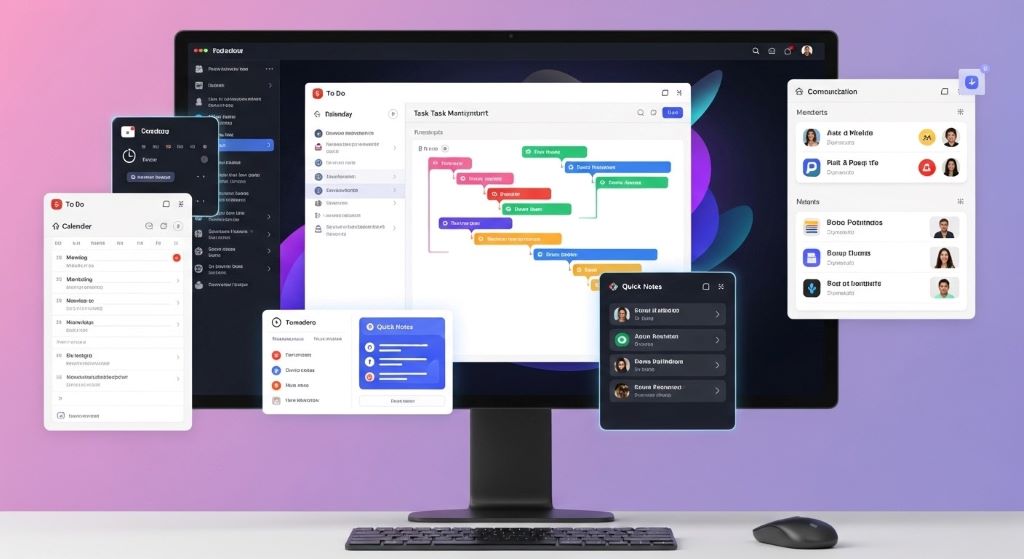
Optimizing Focus and Deep Work Time
Productivity isn’t just about completing more tasks quickly. It’s also about creating conditions that allow for focused, high-quality work on your most important projects. Time-saving apps and techniques protect this valuable deep work time.
Distraction-blocking tools prevent you from unconsciously checking social media, news sites, or other attention magnets during focused work sessions. These tools temporarily restrict access to distracting websites, creating friction that helps you stay on task.
The Pomodoro Technique structures work into focused intervals separated by short breaks. Work intensely for 25 minutes, then take a five-minute break. After four cycles, take a longer 15 to 30-minute break. This rhythm maintains energy and focus throughout the day.
Noise-canceling headphones or background sound apps create an auditory environment conducive to concentration. Some people focus best in silence, while others prefer ambient sounds or instrumental music. Experiment to discover what works for your brain.
Single-tasking rather than multitasking produces better results in less time. Despite common belief, multitasking actually decreases efficiency. Your brain needs time to refocus each time you switch tasks, creating hidden overhead that accumulates throughout the day.
Communicate your focus time to colleagues. Let people know when you’re available for questions and collaboration versus when you need uninterrupted time. Most interruptions aren’t truly urgent and can wait for designated availability windows.
Building Smart Morning and Evening Routines
How you start and end your workday significantly impacts overall productivity. Consistent routines eliminate decision fatigue and ensure you consistently handle important maintenance tasks.
Morning routines should prepare you mentally and practically for the day ahead. Review your calendar and task list, identify your top three priorities, and gather any materials you’ll need. This preparation takes just 10 to 15 minutes but sets a clear direction for your day.
Many successful professionals complete their most challenging task first thing in the morning. This approach, sometimes called “eating the frog,” ensures you accomplish important work when your energy and willpower are highest. Everything else feels easier once you’ve tackled the hardest item.
Evening routines help you disconnect from work and prepare for the next day. Spend 10 minutes reviewing what you accomplished, noting any incomplete tasks, and sketching a preliminary plan for tomorrow. This brief reflection provides closure and reduces the tendency to mentally replay work issues during personal time.
Process your inbox to zero or near-zero before ending your day. This doesn’t mean responding to every message, but rather making decisions about each one. File messages you need to keep, delete or archive irrelevant items, and flag anything requiring action for tomorrow.
Back up important work and ensure everything is saved properly. Technical problems are frustrating anytime, but losing a day’s work due to a computer crash or corrupted file is especially devastating. Consistent backup habits provide peace of mind.
Integrating Health and Wellness into Your Workflow
Sustainable productivity requires maintaining your physical and mental health. Burning out might produce short-term results, but it ultimately destroys productivity and well-being. Building wellness into your workflow isn’t self-indulgent—it’s essential.
Schedule regular breaks throughout your day. Your brain needs periodic rest to maintain focus and creativity. Stand up, stretch, take a short walk, or simply look away from your screen for a few minutes. These micro-breaks prevent the accumulated fatigue that makes afternoons so challenging.
Stay hydrated by keeping water at your desk and setting reminders if necessary. Dehydration causes fatigue, headaches, and difficulty concentrating—all productivity killers. Similarly, eating regular, balanced meals maintains steady energy levels throughout the day.
Physical activity dramatically improves mental performance. Even a short walk during lunch can refresh your mind and improve afternoon focus. If possible, schedule exercise during natural energy dips rather than fighting through low-productivity periods at your desk.
Practice stress management techniques that work for you. This might include meditation, deep breathing exercises, journaling, or simply spending a few minutes in nature. Chronic stress impairs decision-making, creativity, and overall cognitive function.
Set boundaries between work and personal time. When work consistently bleeds into evenings and weekends, you never fully recharge. Protecting personal time isn’t lazy—it’s necessary for maintaining the energy and enthusiasm that fuel genuine productivity.
Measuring and Adjusting Your Systems
Productivity systems require ongoing refinement. What works perfectly now might need adjustment as your responsibilities change. Regular evaluation ensures your tools and techniques continue serving you effectively.
Track key metrics that matter for your work. This might include tasks completed, projects finished, emails processed, or hours spent on different activities. Data reveals patterns that aren’t obvious from daily experience.
Schedule monthly reviews of your productivity systems. Ask yourself what’s working well and what feels frustrating or inefficient. Small adjustments compound over time into significant improvements.
Stay open to trying new tools and approaches, but avoid constantly switching systems. Give each new method at least a month before deciding whether it works for you. Frequent changes prevent you from developing the habits necessary for any system to function effectively.
Seek feedback from people you work with regularly. They might notice inefficiencies in your processes that you’ve become blind to. Additionally, their input helps you understand how your workflow affects others, enabling you to optimize collaborative processes.
Remember that productivity tools and techniques serve you—not the other way around. If maintaining a complex system consumes significant time and energy, simplify it. The goal is making your work easier, not creating additional work around being productive.
Conclusion
Streamlining your daily workflow doesn’t require overhauling your entire work style overnight. Instead, it involves making thoughtful choices about which workflow automation tools to implement, applying proven office productivity tips, and selecting time-saving apps that address your specific bottlenecks.
Start by understanding where your time currently goes and identifying the most significant inefficiencies. Implement changes gradually, allowing yourself to develop new habits before adding more complexity. Focus first on automating repetitive tasks and establishing solid task management practices.
Remember that productivity isn’t about cramming more into each day. It’s about accomplishing what truly matters with less stress and wasted effort. The right tools handle routine tasks automatically, leaving you free to focus on work that requires your unique skills and judgment.
Sustainable productivity also requires protecting your health and maintaining boundaries between work and personal time. The most efficient workflow in the world won’t help if you burn out trying to maintain it.
Evaluate your systems regularly and adjust as needed. Your work evolves, and your productivity approach should evolve with it. With consistent attention and refinement, you can create a workflow that feels manageable rather than overwhelming, productive rather than merely busy.
Frequently Asked Questions
How long does it take to see results from implementing productivity tools?
Most people notice immediate small improvements from simple changes like email filters or task management systems. However, significant workflow transformation typically takes three to four weeks as you develop new habits and refine your approach. Give new systems at least a month before deciding whether they work for you. The initial setup period requires extra effort, but the long-term time savings justify this investment.
Should I use free or paid productivity tools?
Free versions often provide sufficient functionality for individual users or small teams. Start with free options to determine whether a tool fits your workflow before investing money. However, paid versions typically offer advanced features, better customer support, and more robust security. If you use a tool daily and it significantly improves your productivity, upgrading to a paid version usually delivers excellent value for the cost.
How many productivity tools should I use?
Quality matters more than quantity. Most people need only five to seven core tools: task management, calendar, email, note-taking, cloud storage, communication platform, and possibly automation software. Using too many tools creates its own inefficiency as you waste time switching between platforms. Focus on finding excellent solutions for your primary needs rather than collecting numerous apps with overlapping functions.
What if my workplace doesn’t support using certain productivity tools?
Work within your organization’s approved systems whenever possible for security and compatibility reasons. However, you can still apply productivity principles using available tools. Focus on office productivity tips like batching similar tasks, creating email templates, time-blocking your calendar, and optimizing meeting practices. These strategies work regardless of specific software. If certain time-saving apps would significantly benefit your team, build a business case explaining the productivity gains and present it to decision-makers.
How do I avoid becoming dependent on productivity tools?
Maintain a simple, portable core system that doesn’t require specialized software. Keep your primary task list and notes in formats you can access from any device. Back up important data regularly and ensure you understand your tools well enough to work without them temporarily if necessary. Additionally, periodically work without certain tools for a day to verify your processes remain manageable. The goal is having tools that support your work, not becoming helpless without them.
Related Topics:
Hacks to Prevent Rust and Corrosion on Power Tools in Humid Climates
What do Gardening Tools Do? A Comprehensive Guide